OpenAI API Key Setup Guide
What is an OpenAI API?
The OpenAI API is a web interface that lets your app talk directly to OpenAI’s models. You send a request to an API endpoint with your instructions (and more fine-grained settings than a typical ChatGPT prompt), and you get a structured response back in whatever tool or platform you’re using. Available options and outputs depend on the model and endpoint you choose.
Today, the API commonly exposes flagship GPT models such as:
GPT-4o — fast, multimodal, and cost-effective
GPT-4 — a high-intelligence predecessor
GPT-3.5 Turbo — a lightweight choice for simpler tasks
Beyond text, there are specialized models for image generation, speech/audio, and agent-style workflows that can automate more complex tasks.
What is an API key?
What is an OpenAI API key?
Below is a detailed, step-by-step tutorial on how to generate an OpenAI API key, including prerequisites, account setup, and where to find your API key within the OpenAI platform.
Step 1: Prerequisites
- Ensure you have a valid email address.
- Have a payment method (credit/debit card) ready, as OpenAI requires billing setup even for free trials.
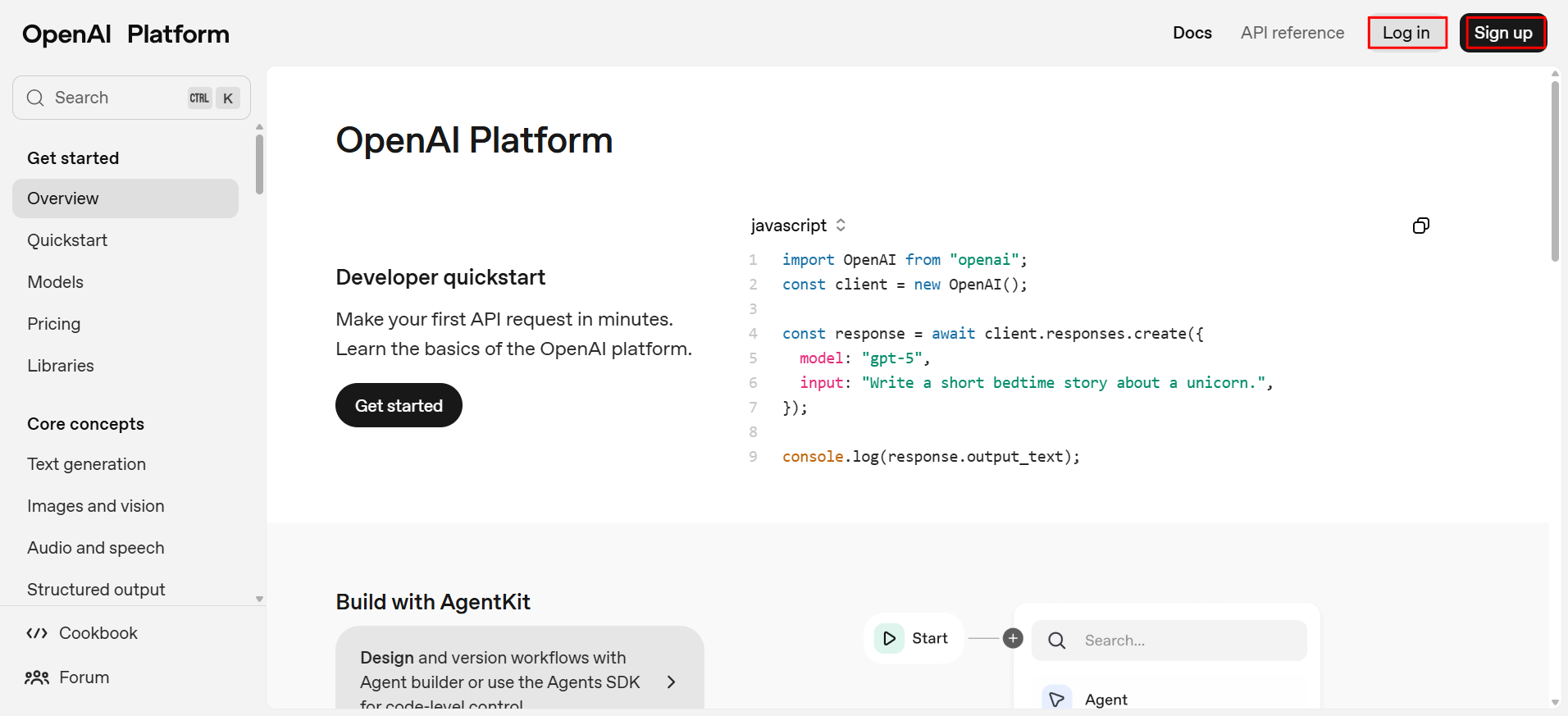
Step 2: Create or log in to your OpenAI account
- Go to the OpenAI platform: https://platform.openai.com/
- If you don’t have an account, click “Sign Up” and follow the prompts to register using your email, Google, or Microsoft account.
- If you already have an account, click “Log In” and enter your credentials.
Step 3: Navigate to the API keys section
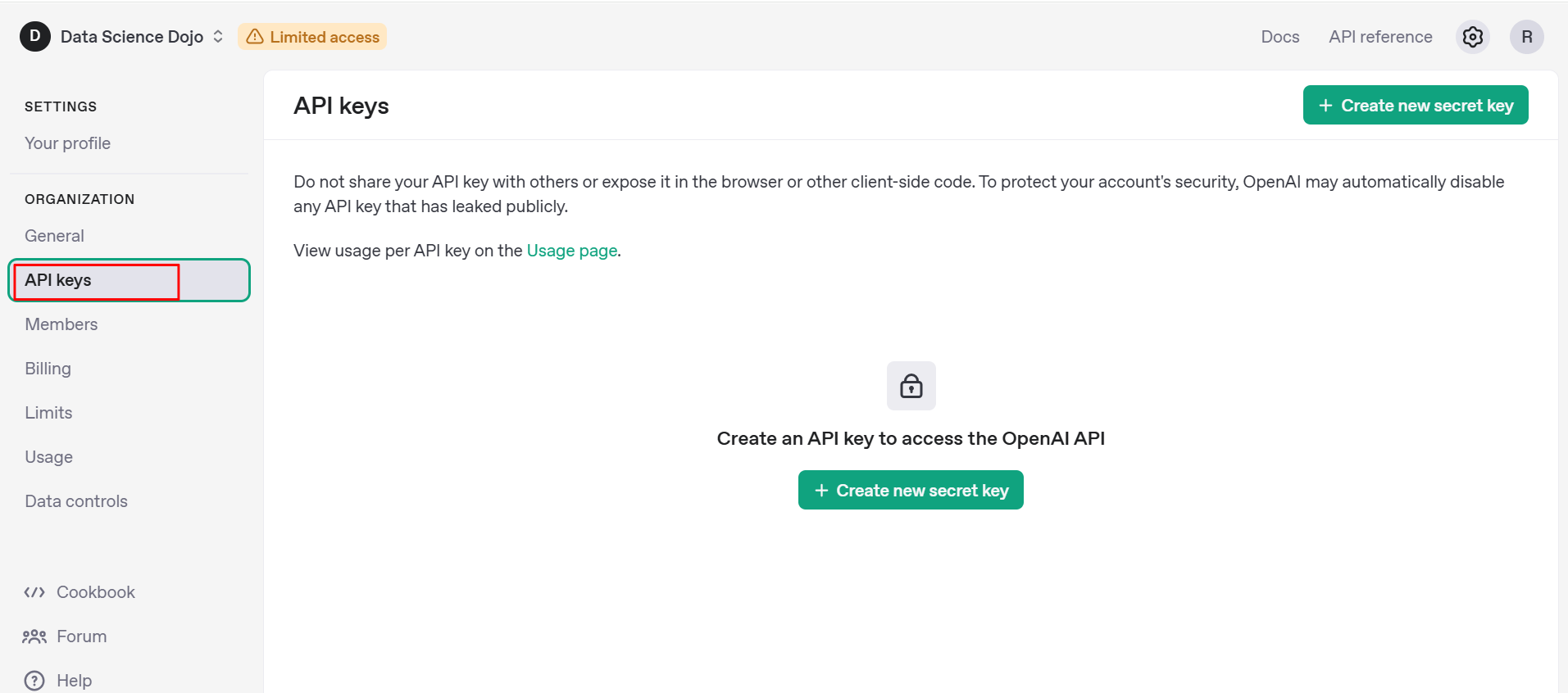
- Once your account and billing are set up, go to the API section.
- In the dashboard, look for “API Keys” or “API” in the navigation bar.
Step 4: Generate your API key
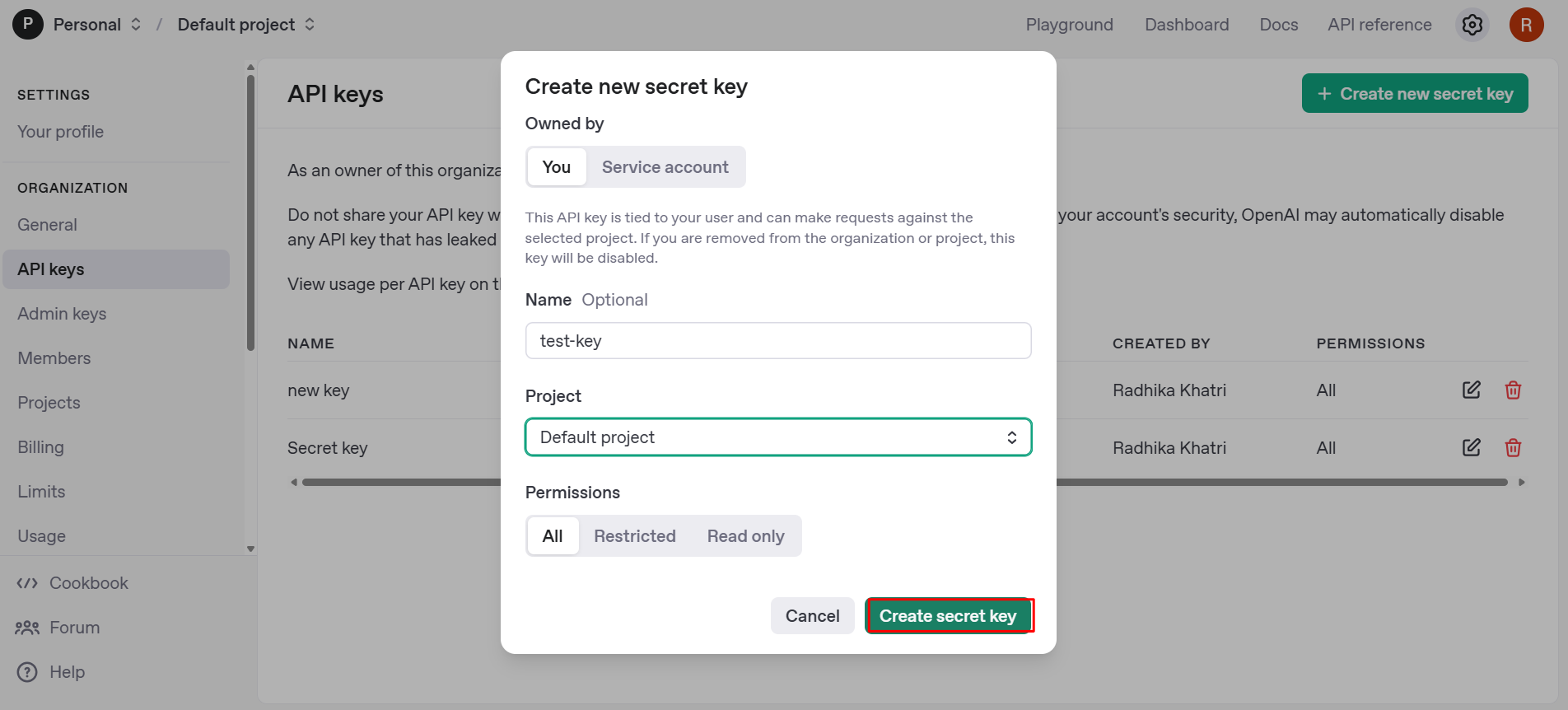
- Click on “Create new secret key”.
- Optionally, name your API key for easy identification (e.g., “test-key”).
- Click “Create secret key.”
Step 5: Copy and secure your API key
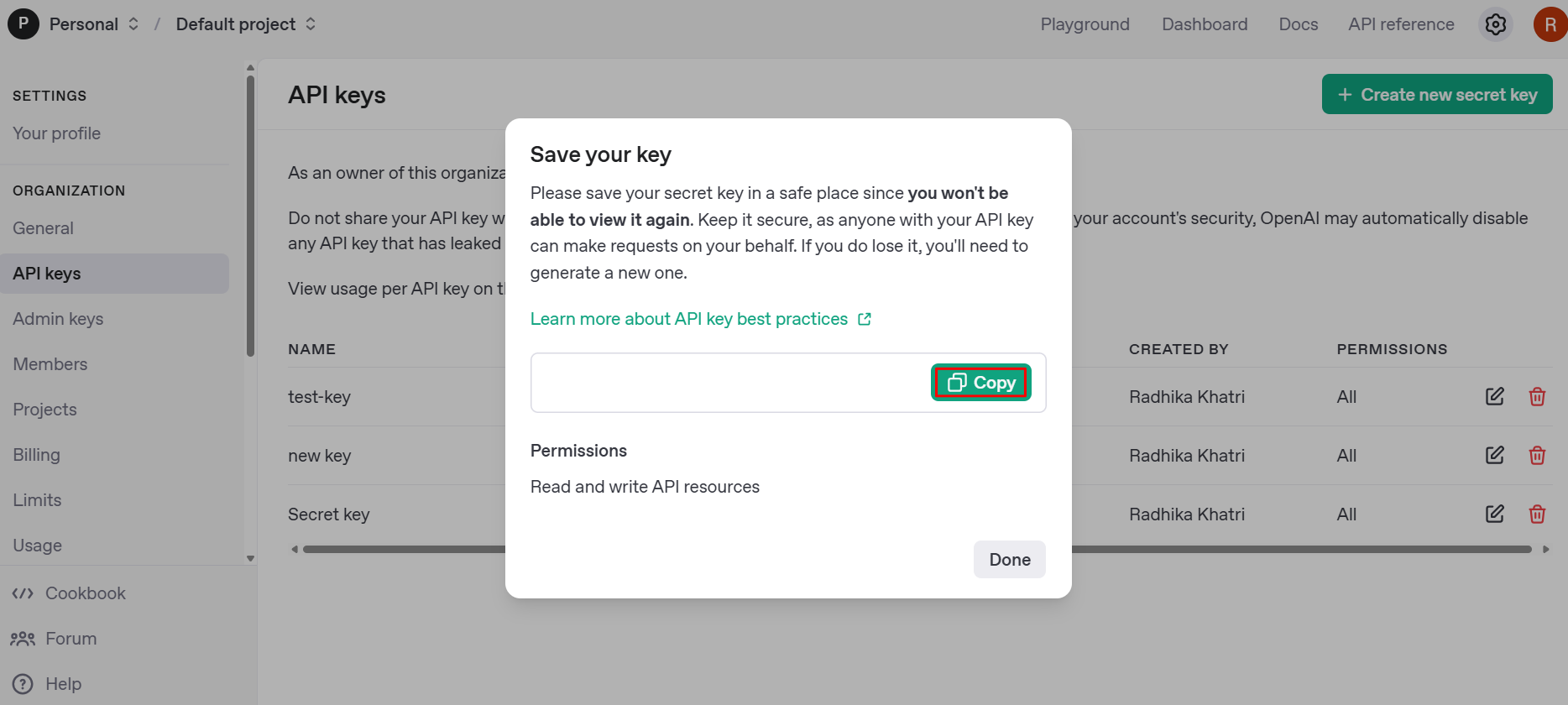
- Once generated, copy the API key and store it in a secure location (such as a password manager or environment variable).
- You will not be able to view the key again after closing the dialog, so make sure to save it immediately.
- Never share your API key publicly, as it can be used to access your account and incur charges.